Basement Broadband Empires: The Americans Turning Spare Rooms Into Personal Data Centers
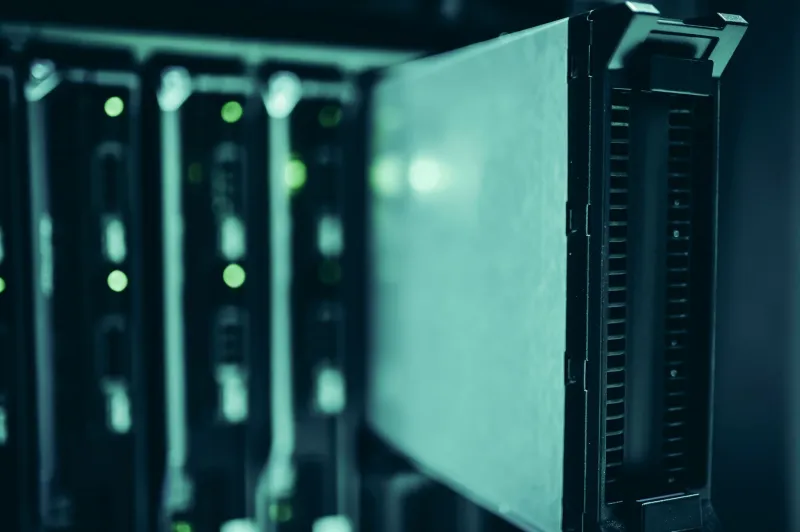
There's a closet in Marcus Webb's Atlanta townhouse that most guests mistake for a utility cabinet. Inside, three rack-mounted machines hum quietly behind a patch panel, LEDs blinking in sequence like a tiny heartbeat. Marcus pays zero dollars a month to store his family's photos, stream his media library, or share files securely with his wife while she travels for work. He built the whole thing for around $400 over two weekends.
"People look at me like I'm crazy," he laughs. "But I'm the one not paying $30 a month forever for stuff I could just own."
Marcus isn't an outlier anymore. Across the country — from suburban garages in Ohio to spare bedrooms in Portland — regular Americans are quietly assembling what the self-hosting community calls "home labs." These aren't the server rooms of the 1990s, full of deafening rackmount hardware and five-figure price tags. Today's home infrastructure is compact, energy-efficient, and shockingly accessible. And the movement behind it is gaining serious momentum.
Why Now? The Subscription Fatigue Factor
The timing isn't accidental. Cloud storage prices have crept upward almost every year. Google One, iCloud, Dropbox — they've all nudged their pricing tiers higher while simultaneously making it harder to export or truly own your data. When Google announced changes to its Photos storage policy back in 2021, it sent a wave of users scrambling to figure out what they actually controlled.
Spoiler: not much.
That realization — that your digital life is essentially renting space in someone else's filing cabinet — is what's driving the home server surge. According to community forums like r/selfhosted and the Nextcloud user base stats, participation has roughly doubled in the past three years. The tools have matured, the hardware has gotten cheaper, and the tutorials have gotten good enough that you don't need a computer science degree to get started.
What Does a Home Server Actually Look Like?
Forget the mental image of blinking server towers and industrial cooling. Most home setups run on surprisingly modest hardware.
The most popular entry point right now is a used mini PC — machines like the Beelink Mini S or refurbished Dell OptiPlex units that sell for $80 to $200 on eBay. These little boxes sip power (often under 15 watts), sit quietly on a shelf, and can handle most home server tasks without breaking a sweat. Pair one with a couple of external hard drives in a mirrored RAID setup, and you've got a resilient personal cloud for well under $300 total.
For folks who want more headroom, a NAS (Network Attached Storage) device from brands like Synology or the open-source-friendly TrueNAS builds offers a purpose-built enclosure for multiple drives with built-in redundancy. These run $300 to $700 depending on drive capacity, but they're quiet, efficient, and designed to run 24/7 without babysitting.
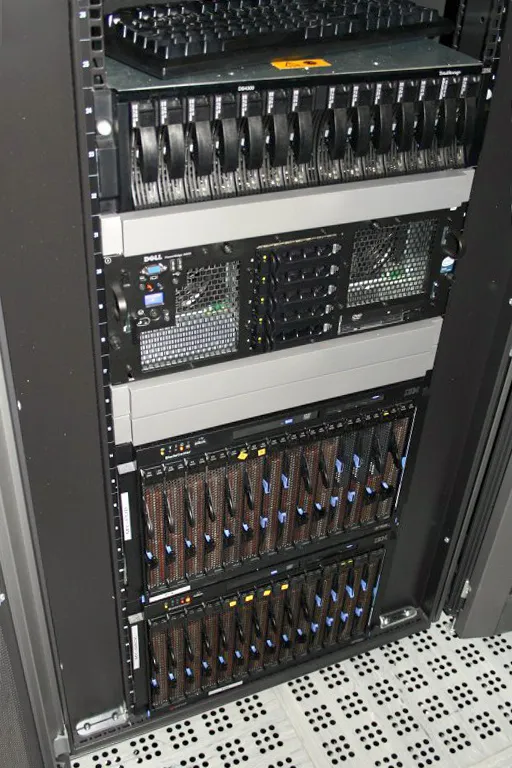
The truly ambitious go full rack — a used 12U or 6U rack cabinet housing a repurposed enterprise server from a data center liquidation sale. You can score a Dell PowerEdge with 64GB of RAM for under $300 if you know where to look (hint: eBay, Facebook Marketplace, or local IT asset disposal companies). The tradeoff is noise and power draw, which is why most of these live in basements or garages.
The Software Stack That Makes It Click
Hardware is only half the equation. What really unlocks the home server experience is the open-source software ecosystem built around it.
Nextcloud is the undisputed king of personal cloud replacement — it replicates Google Drive and Google Photos functionality with a slick interface that syncs across your phone, laptop, and tablet. Jellyfin handles media streaming, turning your movie and music collection into your own personal Netflix without the content removals or unskippable ads. Home Assistant ties smart home devices together without routing everything through Amazon or Google servers. Vaultwarden (a lightweight Bitwarden-compatible server) keeps your passwords local.
Most of these run inside Docker containers, which means you can stack multiple services on the same modest hardware without them stepping on each other. The learning curve exists, but it's gentler than it used to be — especially with tools like Portainer giving you a visual dashboard to manage everything.
Breaking Down the Real Costs
Let's do the math that the cloud companies don't want you doing.
A mid-tier Google One plan (2TB) runs about $100 a year. Add Spotify at $120, a streaming service at $180, and a password manager at $36, and you're looking at roughly $436 annually for services a home server can replicate entirely.
A solid starter home server setup — mini PC, two 4TB drives in RAID 1, a decent router — costs around $350 to $500 upfront. Add maybe $5 to $10 a month in electricity for the mini PC running 24/7, and you're looking at a full payback in under 18 months. After that, you're essentially running for free.
The numbers get even more dramatic over five years. Cloud subscriptions compound. Your home server just... keeps running.
Real People, Real Setups
Jamila Torres, a teacher in Phoenix, started her home server journey during the pandemic when her family's iCloud storage kept filling up with remote learning photos and videos.
"I didn't want to keep paying more and more for space that felt like it should just be mine," she says. She now runs a Raspberry Pi 4 alongside a Synology NAS, self-hosting Nextcloud for family photo backup and Jellyfin for movie nights. Her total monthly cost: about $3 in electricity.
In Minneapolis, Derek Olson runs a more elaborate setup — a refurbished server in his basement hosts his entire family's digital life, including a VPN that lets him and his kids browse safely on public Wi-Fi. He's also set up Pi-hole, a network-level ad blocker that filters ads for every device in his house without installing anything on individual machines.
"It's not that complicated once you get going," Derek says. "The community online is incredibly helpful. I've never felt stuck for more than an hour."
Getting Started Without Losing Your Mind
The home server community has a reputation for being welcoming to newcomers — and it's largely earned. Subreddits like r/selfhosted and r/homelab are full of build guides, troubleshooting threads, and people genuinely excited to help you get your first Nextcloud instance running.
For absolute beginners, the recommended path is simple: start with a Raspberry Pi 5 or a used mini PC, install a beginner-friendly Linux distro like Ubuntu Server or Casaos (which offers a gorgeous app store interface designed specifically for home servers), and pick one service to run first. Just one. Get comfortable with it. Then add more.
The goal isn't to rebuild Google in your basement on day one. It's to slowly, steadily reclaim the pieces of your digital life that you've handed over — one service at a time.
The Bigger Picture
There's something genuinely radical about what this movement represents. Every home server that goes online is a small act of infrastructure independence — a household that no longer needs to trust a corporation's terms of service, pricing decisions, or data practices with their most personal files.
Big Tech built their empires by convincing us that managing our own data was too complicated, too expensive, and too risky. The basement data center renaissance is proof that story was always a little too convenient.
Your files. Your hardware. Your rules. Turns out, that's not just an ideology — it's a pretty solid weekend project.