Stream This: Why Americans Are Done Renting Movies and Building Their Own Cinemas Instead
Remember when Netflix was the one subscription you needed? That was 2015. Today, if you want to watch prestige television without gaps, you're probably juggling Netflix, HBO Max, Hulu, Paramount+, Apple TV+, Peacock, and Disney+ — plus Amazon Prime, which you're already paying for but keep forgetting about. The average American household now spends north of $60 a month on streaming services, and the number keeps climbing.
And for what? Content that disappears without notice. Algorithms that bury what you actually want to watch. Libraries that shrink in some regions while expanding in others. The era of streaming liberation has quietly become its own kind of lock-in.
Some Americans are done playing along.
The Great Fragmentation Nobody Planned For
The streaming wars were supposed to produce winners and losers, with the survivors offering comprehensive, affordable catalogs. Instead, they produced a permanently fragmented landscape where studios pull their content back to launch their own platforms, beloved shows get cancelled mid-arc to cut costs, and the only constant is that your monthly bill goes up.
Paramount+ raised prices twice in 18 months. Disney+ has nearly tripled its ad-free tier since launch. Netflix cracked down on password sharing and introduced advertising. The value proposition that made streaming feel like a revolution has been methodically dismantled by the same companies that built it.
Jason Mercer, a high school teacher in Tucson, Arizona, did the math on his household's subscriptions in early 2023 and nearly choked. "We were paying $87 a month across five services," he says. "And half the time we couldn't find anything to watch because the stuff we wanted had moved or disappeared entirely."
He cancelled everything except one service, spent a weekend setting up a media server in his home office, and hasn't looked back. His media library now runs 14 terabytes. His monthly entertainment cost is his electricity bill's background noise.
What a Personal Media Library Actually Looks Like
The technical stack for a self-hosted media setup has matured enormously in the last few years. At the center of most setups is a media server application — Jellyfin being the most popular open-source option, though Plex retains a large following despite its increasingly commercial direction.
Jellyfin is fully open-source and free, with no account required and no mandatory cloud connection. It runs on Linux, Windows, macOS, or a NAS device, transcodes video on the fly for different screen sizes and bandwidth conditions, and streams to virtually any device through a web browser or dedicated app. The interface is polished enough that family members who've never heard of a media server can figure it out in minutes.
Beyond the server software, you need storage. A lot of it. A typical 1080p movie runs 10-20 GB in a quality rip; 4K HDR files can hit 60-80 GB. Serious collectors are running setups with 20, 40, even 100+ terabytes of storage across arrays of consumer hard drives in NAS enclosures. Synology and TrueNAS are popular choices for managing multi-drive arrays with redundancy.
Metadata scrapers like Radarr (for movies) and Sonarr (for TV) can automatically organize and rename files, pull in artwork and descriptions, and keep libraries tidy without manual intervention. Pair those with Jellyseerr for a Netflix-style request interface and you've got something that, honestly, beats the UX of most commercial streaming platforms.
The Legal and Ethical Landscape
Here's where the conversation gets nuanced, and HypeOS is going to be straight with you about it.
The cleanest path to building a personal media library is buying content outright through DRM-free sources. Bandcamp operates this way for music. For video, services like Kaleidescape sell DRM-free movie downloads — premium-priced but genuinely owned. Some studios sell DRM-free digital files directly. Older films are frequently available through archive.org or as public domain releases.
Purchasing Blu-rays and ripping them for personal use exists in a legal gray zone in the US — the DMCA technically prohibits circumventing copy protection even for personal backup, but prosecution of individual home users is essentially nonexistent. The courts haven't definitively settled the personal backup question, and the Electronic Frontier Foundation has long argued that personal backup should be explicitly protected.
The self-hosting community generally operates on a philosophy of owning what you watch — whether that's through physical media, DRM-free digital purchase, or legal streaming that gets downloaded for offline preservation. The goal isn't free content; it's content permanence and platform independence.
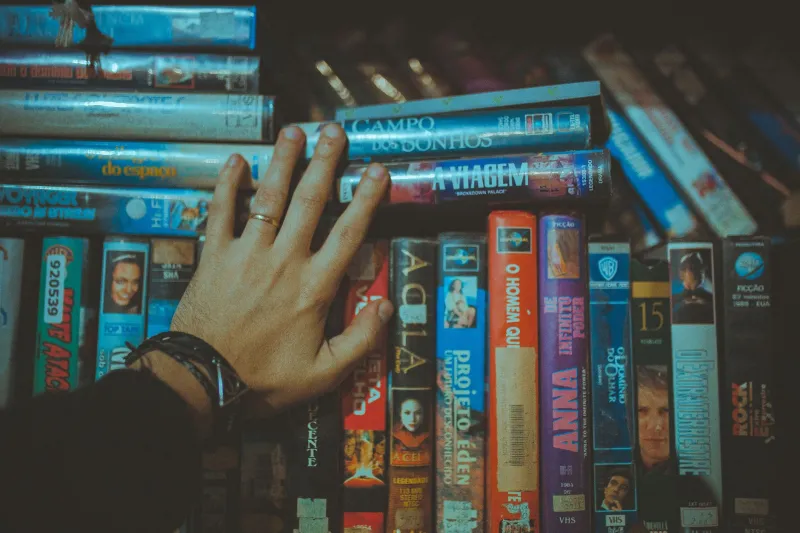
"I buy Blu-rays at thrift stores, garage sales, and library sales," says Mercer. "I've built a 400-movie library for maybe $200 total. That's less than three months of what I was paying in subscriptions."
The Cost-Benefit Math Is Brutal for Streaming
Let's run the numbers on a realistic five-year comparison.
A typical multi-streaming household spending $70/month accumulates $4,200 in subscription costs over five years. They own nothing at the end. If any of those services shut down or change their libraries, they lose access to content they've been paying for the entire time.
A self-hosted setup requires upfront investment: a NAS or dedicated server ($300-600), hard drives for storage ($100-300 depending on capacity), and a one-time software cost of effectively zero for Jellyfin. Call it $700 all-in for a solid starter setup. Over five years, that's $700 plus maybe $50/year in electricity — roughly $950 total. And at the end of five years, you own thousands of hours of content on hardware you control.
The break-even point against a $70/month streaming budget is around eleven months.
Building the Stack, Step by Step
For anyone ready to start, the entry point is simpler than it sounds. A spare PC or an old laptop running Ubuntu can host Jellyfin for a single household with minimal transcoding needs. External USB hard drives provide cheap initial storage. The Jellyfin setup wizard is genuinely beginner-friendly.
From there, the rabbit hole goes as deep as you want. Dedicated NAS hardware with hot-swap drive bays, 10-gigabit networking for fast local streaming, hardware transcoding via a GPU passthrough — these are enthusiast-level additions that improve the experience but aren't necessary to start.
The community resources are excellent. Reddit's r/selfhosted and r/jellyfin communities answer beginner questions without condescension. The Servarr wiki (covering Radarr, Sonarr, and their siblings) is one of the best-maintained documentation projects in the self-hosting world.
Owning the Experience
The deeper appeal of a personal media library isn't just financial. It's the permanence. The film you watched with your dad in 1998 won't vanish because a studio decided to pull its catalog from a platform. The TV series you've watched three times won't disappear mid-rewatch because of a licensing dispute.
Your library grows with you. It reflects your taste rather than an algorithm's guess at your taste. It's available on your local network whether your internet is up or down. And nobody — not a streaming executive, not a content licensing lawyer, not a platform pivot — can take it from you.
Stream all you want. But maybe it's time to own something too.