Two Keys in a Drawer: The Quiet Push to Get 2FA Off the Cloud
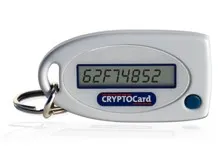
Photo: cryptocard, CC BY 3.0, via Wikimedia Commons
Every security setup has a moment of truth, and mine arrived in a hotel room in Denver with no cell service and a banking app demanding a six-digit code it had just texted to a phone that couldn't receive it.
That's the thing about the second factor everyone settled for: it lives in the same fragile cloud as everything else. Your phone number is rented from a carrier that will happily port it to whoever recites your mother's maiden name. Your authenticator app is one real-time phishing proxy away from handing over a valid code to someone else's browser. Push notifications trained a whole generation to tap "Approve" without reading.
Both Uber and Cisco learned that the hard way back in 2022, when attackers just spammed the push prompt until somebody gave in. Four years later, most Americans are still typing codes off a lock screen.
What a hardware key actually does differently
A FIDO2 security key — the little USB/NFC dongle on half the keychains in any engineering office — doesn't send a code anywhere. It performs a cryptographic handshake that's bound to the website's actual domain. A phishing page at yourbank-login dot com can't get a valid signature, because the key checks the origin and refuses. There's no number to read aloud, no prompt to approve, nothing to intercept.
You plug it in, tap it, and the math happens inside a chip that will not export its private key. That's the entire pitch, and it holds up.
Passkeys are great, and that's the problem
Here's where the story turns. The industry's answer to "hardware keys are annoying" was the passkey: your device generates a keypair, and the credential syncs through iCloud Keychain or Google Password Manager so you never get locked out.
The user experience is genuinely excellent. It's also a full retreat back into the cloud. Your identity's root of trust is now an account at Apple, Google, or Microsoft — the same companies you were trying to take out of the authentication loop. Lose access to that account and your passkeys may go with it. Get phished at the account level, and the elegant cryptography underneath doesn't save you.
Device-bound passkeys avoid that, but they turn every lost phone into a catastrophe. So people sync. It's a rational choice, and it's still a choice to hand the keys back.
Who controls the firmware
This is where the HypeOS crowd splits from the security professionals, and honestly, where the fun starts.
Most of the market — YubiKey included — ships closed firmware. It's well-audited and I use it myself, but you cannot read it, rebuild it, or verify that the binary on your key matches the source anyone reviewed.
The open alternative is smaller but real. SoloKeys ships open-source hardware and firmware out of the US. Nitrokey sells both open and frankly paranoid variants. Google's OpenSK lets you flash your own FIDO2 firmware onto a cheap Nordic development dongle. Trussed provides an open firmware framework underneath several of these. And for the people who consider even that insufficient, the Tillitis TKey and Precursor take measured, open, physically verifiable computing about as far as it currently goes.
Open firmware means you can audit the thing that holds your identity, rebuild it yourself, and know it can't be remotely bricked or quietly repurposed. It also means if you build it wrong, there's no support line. That's the trade.
Recovery is the whole ballgame
Ask anyone who's actually run this setup what the hard part is, and they will not say registration. They'll say recovery.
A working arrangement looks boring and takes an afternoon:
- Buy two keys. Not one. One on the keychain, one in a fireproof box or a drawer at a relative's house in another state.
- Register both everywhere before you need them. Most services let you; some quietly cap you at one, which is a red flag worth noting.
- Print the recovery codes. On paper. Not in a note titled "backup" in the same cloud account you're protecting.
- Lock down the recovery channel. Your email is the skeleton key to everything else — secure it first, harden the registrar, turn off SMS fallback wherever the option exists.
- Test it. Deliberately log in with the backup key from a different device. A backup factor you've never used is a rumor.
And understand the trapdoor: for most consumer services, the real weak link isn't the crypto, it's the support desk. If an attacker can call a human, answer a few knowledge-based questions, and get your second factor reset, the hardware key was decoration.
What still gets you
Hardware keys don't stop session cookie theft, malware on an already-compromised machine, or a legitimate-looking proxy that tricks you into completing the flow on the attacker's session. They don't fix a service with lousy account recovery. They aren't magic, and anyone who tells you they are is selling something.
What they do is remove an entire category of attack that currently works extremely well against ordinary people, every day, with almost no skill required.
The uncomfortable question
If your identity depends on an account you don't control, on a phone number a stranger can port, on a recovery email hosted by a company that can suspend you for reasons it won't explain — do you actually have an identity, or a subscription to one?
Two keys and a piece of paper won't answer that for society. But they answer it for you, and that's where every one of these things starts. Buy the pair. Register both. Print the codes. Then go make your corner of the internet a slightly harder target.