Your Whole Computer, In Your Pocket: The Rise of the Live USB Crowd
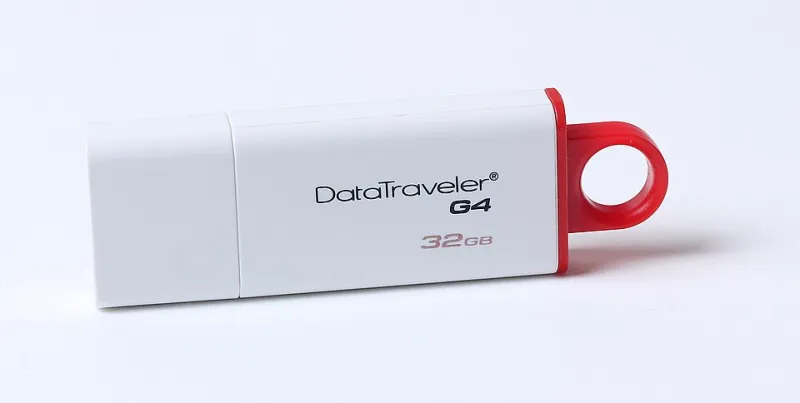
Photo: Dmitry Makeev, CC BY-SA 4.0, via Wikimedia Commons
The hotel business center PC in a Dayton, Ohio Marriott is not a computer you'd trust. Who knows what's logged, what's cached, what keylogger some previous guest downloaded. But Marcus Ellison doesn't care, because he never actually uses the machine. He uses his computer — the one on his keychain.
Ellison is part of a quiet but growing tribe of Americans who carry live-boot USB drives: pocket-sized drives loaded with a complete operating system that runs straight from the stick, untouched by the host machine's hard drive. Pull it out, reboot, and you're on your own desktop. Unplug it, and the hotel computer is exactly as dirty — or as clean — as it was before you arrived.
What Exactly Is a Live Boot?
The concept is older than most people realize. Linux distributions have shipped "live" versions for two decades — bootable environments that run entirely from removable media without installing anything. What's changed is how good the experience has gotten and how easy it is to carry.
Tails, the privacy-focused distro best known for routing all traffic through Tor, is the poster child. It's built from the ground up to leave no trace: no browsing history, no temp files, no nothing on the host machine. Fire up Tails on a public library computer and when you shut down, it's like you were never there.
But Tails is just the entry point. Tools like Ventoy have made multi-boot drives stupidly simple — drop several ISO files onto one USB stick and pick your OS from a menu at boot. Power users carry drives with a daily-driver distro, a rescue environment, and a privacy setup all on the same stick. Add a folder of portable apps and your synced documents, and you've got what the community calls a "pocket computer."
Who's Actually Doing This?
The stereotype is the hoodie-wearing hacker, but the real population is broader and more boring than that. Federal contractors who aren't allowed to store work data on personal machines. Nurses and traveling consultants who bounce between shared workstations. Journalists covering stories they'd rather not have auto-suggested back to them by an ad network. Privacy-conscious regular folks who read one too many breach notifications.
"I do my banking on machines I don't trust, which sounds insane until you realize the drive is the trusted machine," Ellison says. "The host is just a screen and a keyboard."
There's a practical angle too. IT folks have long carried bootable rescue drives to fix broken Windows machines. The live USB crowd simply flipped the script: instead of fixing someone else's computer, they bring their own and let the host sit there, inert.
Building Your Pocket Computer: A Starter Guide
You don't need to be a sysadmin to pull this off. Here's the short version.
1. Pick your distro. Tails if anonymity is the goal. Linux Mint or Fedora for a comfortable everyday desktop. Something tiny like Puppy Linux if the host machines are ancient.
2. Grab a decent USB drive. Speed matters — a cheap drive will make boot times painful. Look for USB 3.0 or better, 32GB or more. Some enthusiasts swear by drives with metal housings that survive a year on a keyring.
3. Write the image. Use a tool like balenaEtcher or Rufus to flash your chosen ISO onto the drive. Ten minutes, tops.
4. Configure persistence. A plain live boot forgets everything on shutdown. Tails and most mainstream distros support a persistent storage partition, so your settings, bookmarks, and files survive reboots.
5. Learn the boot menu dance. On most PCs, hammer F12, F2, or Esc during startup to pick your USB drive from the boot menu. On some machines you'll need to poke around in the BIOS to allow USB booting — a one-time annoyance.
That's it. Total cost: the price of a drive and one evening of fiddling.
The Caveats Worth Knowing
Live booting isn't magic. A compromised host machine could theoretically sniff keystrokes while you're plugged in, which is why the truly paranoid avoid typing passwords on untrusted hardware entirely. Public machines sometimes have USB ports locked down or boot menus password-protected by IT departments. And if your drive dies mid-session, well, hope you backed up your persistence folder.
But for a growing number of Americans, the trade is worth it. A $15 stick of plastic that means never trusting a stranger's computer again — that's not paranoia. That's owning your computing, one boot at a time.