Dead Laptop Walking: How the Linux Community Is Turning Tech Trash Into Treasure
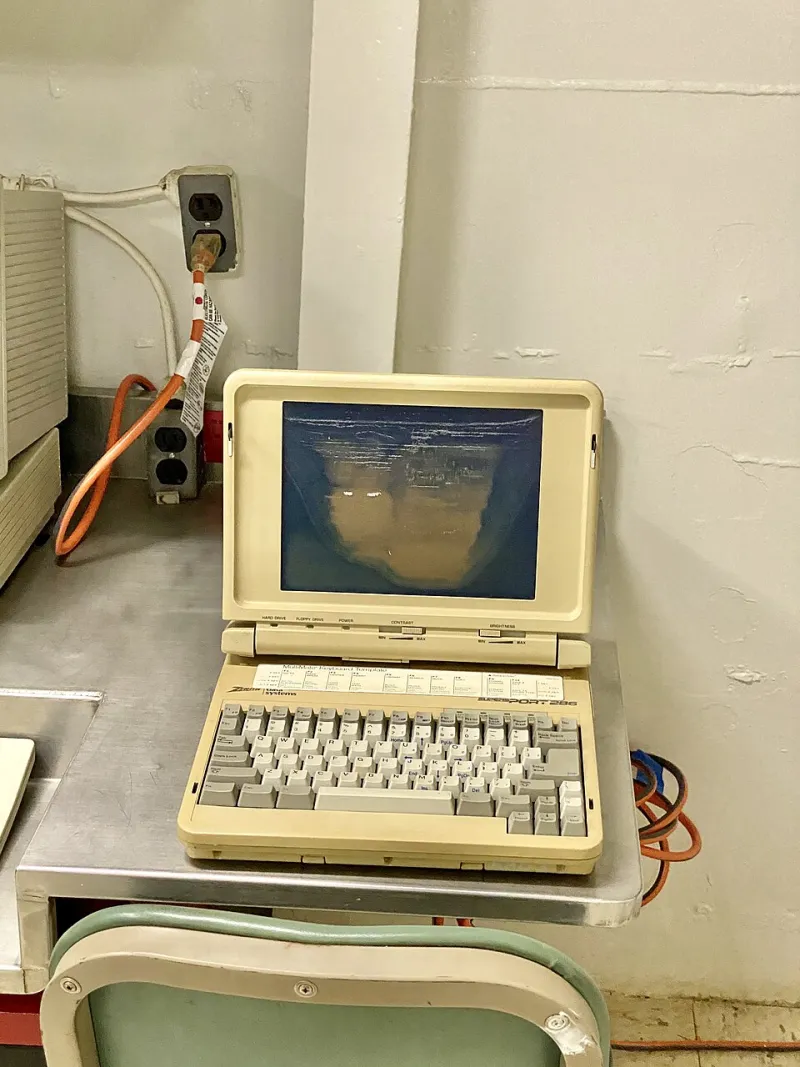
Photo: Warren LeMay, CC BY-SA 2.0, via Wikimedia Commons
Somewhere in a school district storage closet in rural Kentucky, there are 47 Chromebooks that officially don't exist anymore. They power on fine. The screens are intact. The keyboards work. But Google's Auto Update Expiration (AUE) policy declared them end-of-life, which means no more Chrome OS security updates — and for a school district with a risk-averse IT policy, that's as good as dead.
Except they're not dead. Not even close.
Volunteers from a local repair collective spent two Saturdays last spring installing MrChromebox firmware and GalliumOS — a lightweight Linux distribution purpose-built for Chromebook hardware — on every single one of those machines. The result: 47 fully functional laptops, running faster than they did new, handed back to students who needed them. Total cost to the district: about $200 in USB drives and volunteer pizza.
This is what the Linux device resurrection movement looks like in practice. And it's happening everywhere.
The E-Waste Problem No One Wants to Talk About
The United States generates more e-waste per capita than almost any other country on earth. The EPA estimates Americans toss roughly 50 million tons of electronic waste annually, and laptops and computers make up a significant chunk. What's maddening is that a huge percentage of that hardware isn't broken — it's just been declared obsolete by the companies that sold it.
Windows 11's strict hardware requirements cut off hundreds of millions of PCs that run Windows 10 perfectly well. Google's AUE policy has end-of-lifed entire generations of Chromebooks that are physically sound. Apple's aggressive software cutoffs push users toward new hardware years before their existing machines stop functioning.
The environmental math is brutal. Manufacturing a single laptop generates an estimated 300 to 400 pounds of CO2 equivalent before it ever leaves the factory. When a functional machine ends up in a landfill — or even a recycling facility — that embedded carbon is wasted entirely.
Linux doesn't care about any of that. And that's the point.
Why Linux Is the Perfect Second Life
Open-source Linux distributions have a fundamentally different philosophy toward hardware than commercial operating systems. Rather than requiring ever-increasing specs to run the latest software, the Linux ecosystem has spent decades optimizing for efficiency and longevity. There are distributions actively designed to run on machines that are 10, 15, even 20 years old.
For older hardware with limited RAM (think 2GB or 4GB), distros like Lubuntu, Linux Mint XFCE, and AntiX deliver a complete, modern desktop experience that feels snappier than Windows ever did on the same machine. For Chromebooks specifically, projects like Brunch and the Linux on ChromeOS developer mode offer pathways to full Linux installs, while the MrChromebox firmware replacement project has unlocked hundreds of Chromebook models for complete OS replacement.
The performance gains users report are often startling. A 2015 Chromebook that crawled under a bloated Chrome OS install can run Lubuntu with LibreOffice, Firefox, and a music player simultaneously without breaking a sweat. A 2013 MacBook Air that Apple dropped from macOS support runs OpenCore Legacy Patcher plus a modern Linux install with more headroom than it had running Mojave.
"It felt like getting a new computer," says Priya Nair, a graphic design student in Austin who revived a 2014 ThinkPad she found in a dumpster behind her university's IT building. "I use it every day for school. It's my main machine now."
The Repair Workshop Underground
Behind the individual success stories is a growing network of community organizations making device resurrection accessible to people who've never touched a terminal.
Organizations like Repair Café chapters across the US, Free Geek (which operates in Portland and has inspired affiliates nationwide), and countless informal hackerspaces run regular workshops where volunteers walk participants through the process of installing Linux on their aging hardware. These aren't tech-bro meetups — the attendees skew toward seniors on fixed incomes, students, and families who can't afford new devices.
In Chicago, a collective called Southside Tech Commons has refurbished and distributed over 800 laptops running Linux Mint to community members since 2021. Their model is straightforward: accept donated hardware, wipe it, install Linux, pair it with a training session on basic use, and hand it off. Recipients get a functional computer. Donors get a tax receipt. The landfill gets nothing.
"We had a 68-year-old woman come in convinced she needed to buy a new computer because her old one 'didn't work anymore,'" recalls one of the collective's organizers. "Forty-five minutes later she walked out with the same machine running Linux Mint, faster than it had been in years. She cried. I'm not exaggerating."
Chromebooks: The Unlikely Hero Hardware
Of all the devices fueling the Linux resurrection wave, Chromebooks occupy a special place. They were sold — often to schools and budget-conscious consumers — on the promise of simplicity and affordability. Then Google's AUE policy started hitting entire generations of devices, leaving schools and families with hardware that was physically fine but software-stranded.
The backlash has been significant enough that Google has quietly extended AUE dates for some devices and announced longer support windows for newer models. But millions of existing Chromebooks remain in limbo — and the Linux community has built a remarkably robust infrastructure around saving them.
The Chrultrabook project maintains detailed compatibility databases and installation guides for hundreds of Chromebook models. The r/chrultrabook subreddit fields hundreds of questions monthly from people attempting their first Linux install on a school-surplus Chromebook. The community is patient, detailed, and genuinely motivated by the mission of keeping hardware out of landfills.
What You Actually Need to Get Started
If you've got a drawer full of old laptops or a surplus Chromebook gathering dust, here's the honest beginner's path:
Step one: Identify your hardware. For Chromebooks, check the MrChromebox compatibility list. For Windows laptops, virtually anything from 2010 onward is fair game.
Step two: Pick your distro. For Chromebooks, GalliumOS or a standard Ubuntu install via developer mode is a great start. For older Windows machines, Linux Mint is the near-universal recommendation for newcomers — it looks familiar, installs cleanly, and just works.
Step three: Flash a USB drive with your chosen distro using Balena Etcher or Rufus, boot from it, and follow the installer. Most modern Linux installers are genuinely point-and-click.
Step four: Spend an afternoon exploring. Install LibreOffice, Firefox, VLC. Connect to your Wi-Fi. Realize that 90% of what most people do on a computer works perfectly fine on a five-year-old machine running Linux.
The whole process, start to finish, takes most people two to three hours. The learning curve is real but shallow. And the payoff — a functional daily driver from hardware you were about to throw away — is deeply satisfying in a way that's hard to explain until you've done it.
Reclaiming the Narrative on "Obsolete" Tech
There's a word worth interrogating here: obsolete. When Microsoft or Google or Apple tells you a device is obsolete, what they actually mean is that it's no longer profitable for them to support it. That's a business decision, not a technical reality.
The Linux community has been quietly proving this distinction for decades. Every Chromebook running GalliumOS is a small rebellion against planned obsolescence. Every ThinkPad running Lubuntu is a middle finger to the upgrade treadmill. Every repair workshop that teaches a senior citizen to install Linux Mint is a direct challenge to the idea that ordinary people can't control their own technology.
At HypeOS, we believe the stack you run on should be yours to choose — not dictated by a corporation's end-of-life calendar. The tools to make that happen are free, the community is welcoming, and the hardware is literally sitting in your closet.
Time to plug it in.